1 परिचय
Thank you for choosing the seenda COE310 Bluetooth Ergonomic Keyboard and Mouse Combo. This manual provides detailed instructions for setting up, operating, and maintaining your new device. Please read it carefully to ensure optimal performance and longevity of your product.
2. उत्पाद खत्मview
The seenda COE310 combo offers a comfortable and efficient typing experience with its ergonomic design and multi-device connectivity. It is designed to enhance productivity across various platforms.
प्रमुख विशेषताऐं:
- Ergonomic Wave Design: The keyboard features a wave-curved layout and a cushioned wrist rest to reduce strain during extended use.
- मल्टी-डिवाइस कनेक्टिविटी: Connects to up to three devices via USB-A, Type-C, or Bluetooth, allowing seamless switching.
- यूनिवर्सल संगतता: Supports Windows, macOS, iOS, and Android operating systems with dual layouts for Windows and Mac.
- रिचार्जेबल बैटरीज़: Built-in rechargeable batteries for both keyboard (500mAh) and mouse (300mAh) provide long active use and standby times.
- मौन संचालन: The mouse features silent clicks for a focused work environment.
- समायोज्य झुकाव: The keyboard includes five adjustable tilt angles for personalized comfort.
- 12 Shortcut Keys: Enhance efficiency with dedicated shortcut keys.

Figure 1: seenda COE310 Ergonomic Keyboard and Mouse Combo.
3. सेटअप
3.1 पैकेज सामग्री
- seenda COE310 Ergonomic Keyboard
- seenda COE310 Wireless Mouse
- USB-A Receiver (stored in mouse)
- Type-C Receiver (stored in mouse)
- यूएसबी-सी चार्जिंग केबल
- उपयोगकर्ता पुस्तिका
- तुरत प्रारम्भ निर्देशिका
3.2 उपकरणों को चार्ज करना
- Locate the USB-C charging ports on both the keyboard and the mouse.
- Connect the provided USB-C charging cable to the devices and a power source (e.g., computer USB port, USB wall adapter).
- The indicator lights will show charging status. A full charge typically takes 2-3 hours.
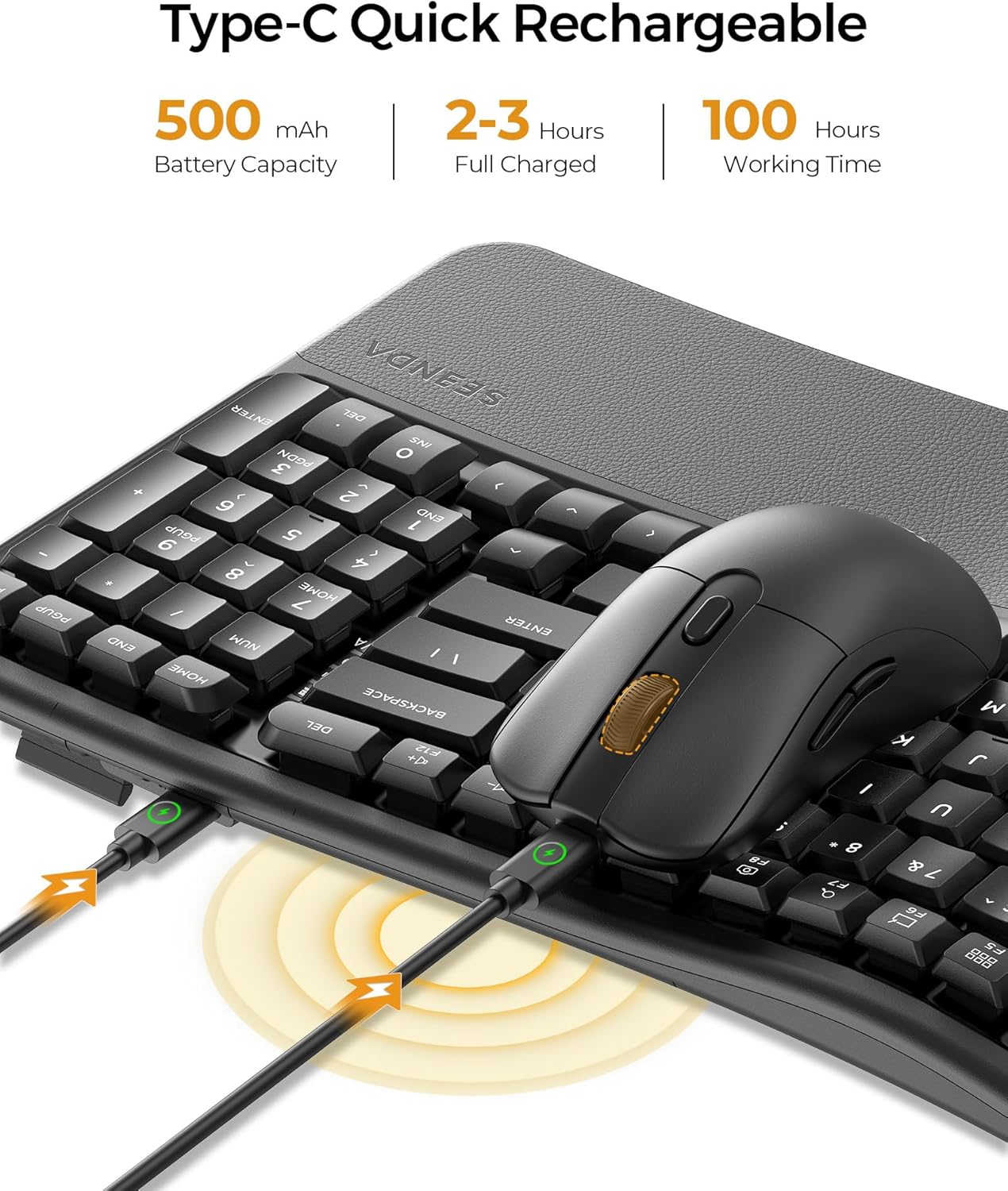
Figure 2: Keyboard and mouse connected to power via USB-C for charging.
3.3 माउस को जोड़ना
The mouse offers three connection modes: 2.4G USB-A, 2.4G Type-C, and Bluetooth.
- For 2.4G USB-A/Type-C Connection:
- माउस के निचले हिस्से में स्थित बैटरी कंपार्टमेंट खोलें।
- Remove the desired USB-A or Type-C receiver.
- Plug the receiver into an available USB-A or Type-C port on your computer or device.
- माउस के नीचे स्थित पावर स्विच का उपयोग करके उसे चालू करें।
- Toggle the mode switch button on the mouse to the corresponding 2.4G channel (indicated by a light). The mouse should connect automatically.
- ब्लूटूथ कनेक्शन के लिए:
- पावर स्विच का उपयोग करके माउस चालू करें।
- Toggle the mode switch button on the mouse to one of the Bluetooth channels (e.g., BT1 or BT2). The indicator light will flash.
- On your device, go to Bluetooth settings and search for "SEENDA COE310".
- Select the device and follow the on-screen prompts to pair.

Figure 3: Mouse underside showing USB and Type-C receivers.
3.4 कीबोर्ड कनेक्ट करना
The keyboard also offers three connection modes: 2.4G USB-A, 2.4G Type-C, and Bluetooth.
- For 2.4G USB-A/Type-C Connection:
- Ensure the corresponding USB-A or Type-C receiver is plugged into your device.
- कीबोर्ड को चालू करने के लिए पावर स्विच का उपयोग करें (आमतौर पर यह साइड या पीछे की तरफ होता है)।
- Press the Fn key + F1 (for USB-A) or Fn key + F2 (for Type-C) to select the channel. The indicator light will confirm connection.
- ब्लूटूथ कनेक्शन के लिए:
- कीबोर्ड चालू करें.
- Press the Fn key + F3 (for BT1) or Fn key + F4 (for BT2) or Fn key + F5 (for BT3) to select a Bluetooth channel. The indicator light will flash.
- On your device, go to Bluetooth settings and search for "SEENDA COE310".
- Select the device and follow the on-screen prompts to pair.
वीडियो 1: आधिकारिक उत्पाद समाप्तview of the seenda COE310 Multi-Device Ergonomic Keyboard and Mouse, demonstrating its features and multi-device connectivity.
4. संचालन निर्देश
4.1 कीबोर्ड फ़ंक्शंस
- टाइपिंग: The wave-curved design promotes a natural hand position for comfortable typing.
- समायोज्य झुकाव: Use the adjustable feet on the underside of the keyboard to set your preferred typing angle. There are five adjustable tilts.
- Windows/macOS Layout Switch: प्रेस एफएन + ए to switch to Windows layout or एफएन + एस to switch to macOS layout.
- शॉर्टकट कुंजियाँ: The keyboard includes 12 dedicated shortcut keys for common functions. Refer to the Quick Start Guide for specific key functions.

Figure 4: Keyboard layout with Windows and macOS switch keys highlighted.
4.2 माउस के कार्य
- डीपीआई समायोजन: The mouse features 3 adjustable DPI settings (1000-1600-2400) for precise cursor control. Press the DPI button on the top of the mouse to cycle through settings.
- साइलेंट क्लिक्स: Enjoy a quiet working environment with the noiseless click design.
- आगे/पीछे जाने वाले बटन: त्वरित नेविगेशन के लिए साइड बटन का उपयोग करें web ब्राउज़र या file खोजकर्ता.

Figure 5: seenda wireless mouse, highlighting its silent operation.
4.3 उपकरणों के बीच स्विच करना
कनेक्टेड डिवाइसों के बीच स्विच करने के लिए:
- कीबोर्ड: प्रेस Fn + F1/F2/F3/F4/F5 to switch to the corresponding connected device (F1 for USB-A, F2 for Type-C, F3/F4/F5 for Bluetooth channels).
- चूहा: Press the mode switch button on the underside of the mouse to cycle through the connected 2.4G (USB-A/Type-C) and Bluetooth channels.
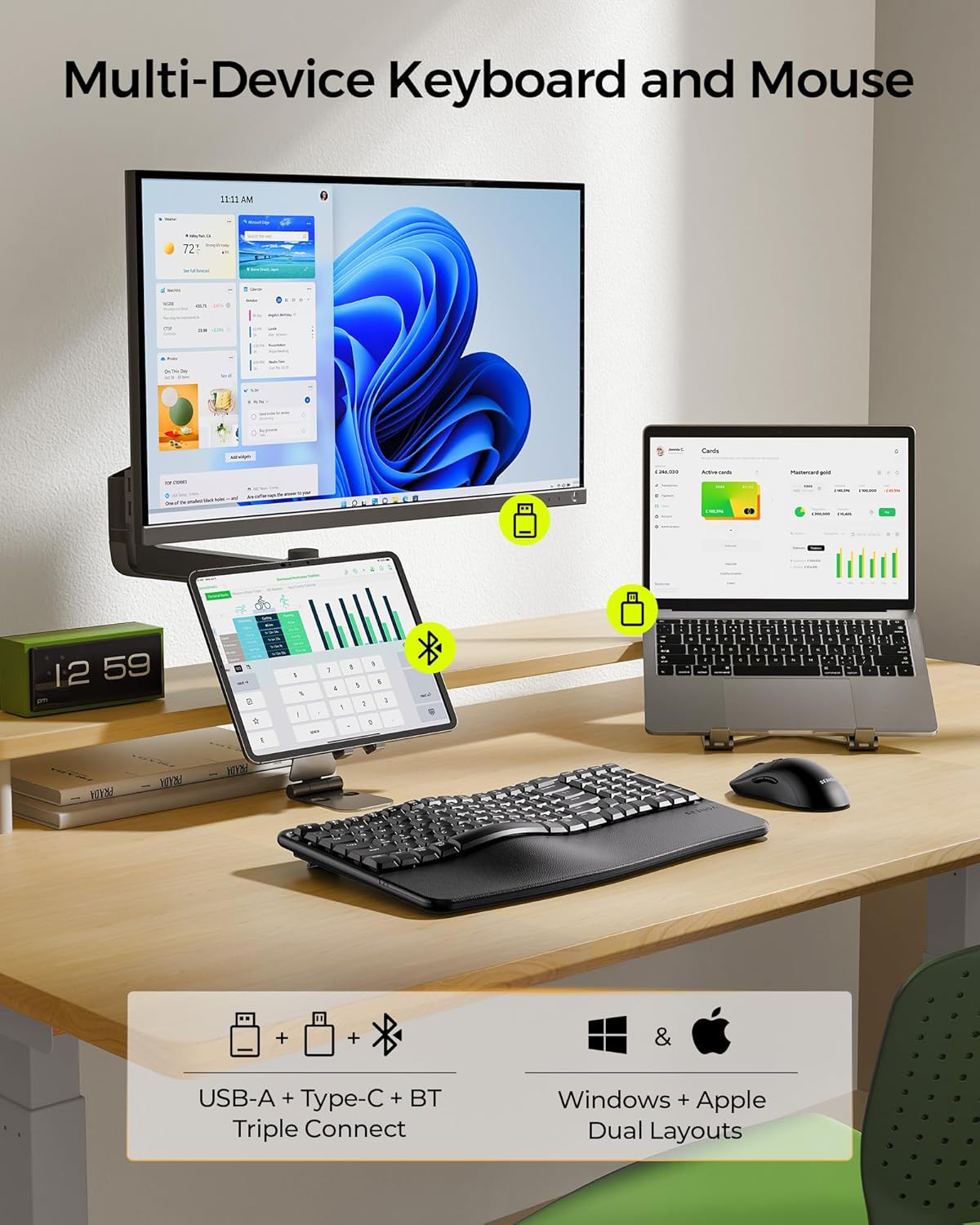
Figure 6: Multi-device connectivity example with the keyboard and mouse.
5. रखरखाव
5.1 सफाई
- Use a soft, dry cloth to wipe down the keyboard and mouse surfaces.
- जिद्दी गंदगी के लिए, थोड़ा डीampकपड़े को पानी या हल्के, गैर-घर्षण क्लीनर से साफ करें।
- Avoid using harsh chemicals, solvents, or abrasive materials, as these can damage the finish.
- Do not immerse the devices in water or any liquid.
5.2 बैटरी केयर
- Charge the devices regularly to maintain battery health.
- Avoid fully discharging the batteries frequently.
- If storing the devices for an extended period, charge them to about 50% before storage.
5.3 भंडारण
- कीबोर्ड और माउस को सीधे सूर्य की रोशनी और अत्यधिक तापमान से दूर ठंडी, सूखी जगह पर रखें।
- Keep the USB-A and Type-C receivers stored securely in the mouse's compartment when not in use to prevent loss.
6। समस्या निवारण
- डिवाइस कनेक्ट नहीं हो रहा है:
- Ensure the devices are powered on and fully charged.
- Verify the correct connection mode (2.4G or Bluetooth) is selected on both the keyboard and mouse.
- For 2.4G, ensure the USB-A or Type-C receiver is securely plugged into your device.
- For Bluetooth, ensure Bluetooth is enabled on your device and try re-pairing.
- Try connecting to a different USB port or device to rule out port/device specific issues.
- कनेक्शन में देरी या रुक-रुक कर कनेक्शन होना:
- Move the devices closer to your computer to minimize interference.
- Ensure there are no large metal objects or other wireless devices causing interference.
- Check battery levels; low battery can affect performance.
- Keys or mouse buttons not responding:
- उपकरणों को चार्ज करें।
- अपने कंप्यूटर या डिवाइस को पुनः आरंभ करें.
- If using 2.4G, try re-inserting the receiver.
- Incorrect key layout (Windows/macOS):
- प्रेस एफएन + ए for Windows layout or एफएन + एस for macOS layout.
7. विनिर्देश
| विशेषता | विवरण |
|---|---|
| मॉडल संख्या | सीओई310 |
| कनेक्टिविटी प्रौद्योगिकी | USB (2.4G), Type-C (2.4G), Bluetooth |
| संगत डिवाइस | PC, Laptop, Tablet, Mac, MacBook Pro/Air, iPad, iPhone |
| कीबोर्ड बैटरी क्षमता | 500एमएएच |
| माउस बैटरी क्षमता | 300एमएएच |
| काम का समय | अधिकतम 100 घंटे (सक्रिय उपयोग) |
| स्टैंडबाय समय | 300 दिन तक |
| चार्ज का समय | 2-3 घंटे |
| माउस DPI सेटिंग्स | 1000, 1600, 2400 |
| Keyboard Tilt Angles | 5 समायोज्य स्तर |
| आइटम का वजन | 2.83 पाउंड |
| पैकेज आयाम | 17.28 x 12.01 x 2.13 इंच |
8. वारंटी और समर्थन
seenda products are designed for reliability and performance. For warranty information, technical support, or any inquiries regarding your COE310 keyboard and mouse combo, please refer to the contact information provided in your product packaging or visit the official seenda webसाइट।


