
परिचय
Thank you for choosing the EDYELL V1 Motorcycle Bluetooth Headset. This manual provides detailed instructions for the installation, operation, and maintenance of your device. Please read this manual thoroughly before use to ensure optimal performance and safety.
पैकेज सामग्री
सत्यापित करें कि नीचे सूचीबद्ध सभी आइटम आपके पैकेज में शामिल हैं:
- V1 Main Unit x1
- Headset and Microphone (Hard microphone speakers) x1
- Clip Base x1
- उपयोगकर्ता मैनुअल x1
- Microphone Velcro x2
- Speaker Velcro x2
- Bracket Velcro x1
- Thick Double-sided Tape x1
- Height Spacer x2
- चार्जिंग केबल X1

Image: Contents of the EDYELL V1 Motorcycle Bluetooth Headset package, including the main unit, microphone, speakers, mounting accessories, charging cable, and user manual.
उत्पाद खत्मview
Familiarize yourself with the main unit and its controls:

Image: Diagram illustrating the EDYELL V1 unit with numbered labels pointing to its buttons and interfaces, including Volume '+', Volume '-', Power/Play/Pause/Answer/Hang Up, MIC Button, Charging Port, Indicator Light, and Speaker/Microphone Interface.
- Volume '+' Button / Next Track Button: Short press to increase volume, long press for next track.
- Volume '-' Button / Previous Track Button: Short press to decrease volume, long press for previous track.
- Power Button / Play/Pause Button / Answer / Hang Up Button: Multi-functional button for power control, music playback, and call management.
- माइक बटन: Activates voice assistant or other microphone-related functions.
- इंधन का बंदरगाह: चार्जिंग के लिए यूएसबी टाइप-सी पोर्ट।
- इंडिकेटर लाइट: Displays device status (e.g., charging, paired, on).
- Speaker / Microphone Interface: Port for connecting the headset and microphone.
सेटअप और स्थापना
Follow these steps to properly install your EDYELL V1 headset on your helmet:
- माउंटिंग स्थान चुनें: Select a suitable flat area on the left side of your helmet for the main unit. Ensure it does not obstruct your vision or helmet functionality.
- Attach Clip Base: Use either the clip base (for helmets with an edge) or the adhesive bracket (for flat surfaces) to secure the main unit's base. Ensure it is firmly attached.
- स्पीकर स्थापित करें: Place the speakers inside the helmet's ear pockets. Use the provided Velcro pads to secure them. Ensure they are positioned directly over your ears for optimal sound.
- माइक्रोफ़ोन स्थापित करें: Attach the microphone to the inside of the helmet, positioning it close to your mouth but away from direct wind. Use the microphone Velcro for secure placement.
- केबल कनेक्ट करें: Plug the speaker and microphone cable into the designated interface on the main unit. Tuck excess cables neatly within the helmet lining.
- माउंट मेन यूनिट: Slide the EDYELL V1 main unit onto the installed clip base until it clicks securely into place.
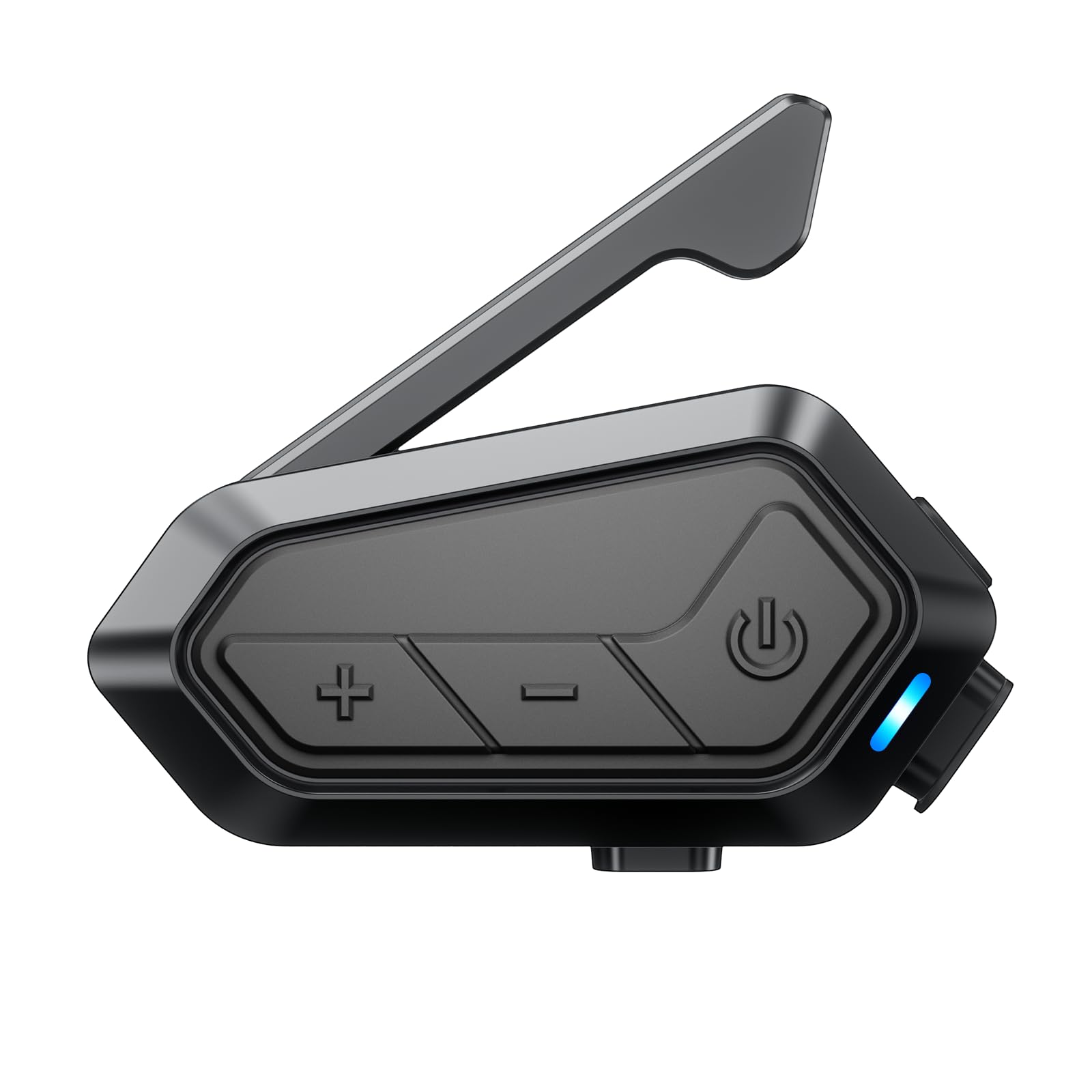
Image: The EDYELL V1 Motorcycle Bluetooth Headset securely mounted on the side of a motorcycle helmet, demonstrating its compact design and placement.
डिवाइस को चार्ज करना
The EDYELL V1 features a 1000mAh battery for extended use.
- चार्ज का समय: Approximately 1.5 hours for a full charge using the provided USB Type-C cable.
- बैटरी की आयु: Up to 15 hours for communication, 28 hours for music, 30 hours for call time, and 5 days standby time.
Connect the charging cable to the Type-C port on the unit and a suitable USB power source. The indicator light will show charging status.

Image: The EDYELL V1 unit connected to a USB-C charging cable, with visual indicators for battery life in various usage modes like music sharing, group communication, music time, call time, and standby time.

Image: A banner highlighting the EDYELL V1's 1000mAh lithium battery, 1.5-hour charging time, 28 hours music time, and 5 days standby time.
ऑपरेटिंग निर्देश
पावर चालू/बंद
- पावर ऑन: Press and hold the Power Button until the indicator light turns on.
- बिजली बंद: Press and hold the Power Button until the indicator light turns off.
ब्लूटूथ युग्मक
To connect your EDYELL V1 to your mobile phone or other Bluetooth devices:
- सुनिश्चित करें कि डिवाइस बंद है.
- Press and hold the Power Button for approximately 5-7 seconds until the indicator light flashes red and blue alternately, indicating pairing mode.
- On your mobile phone, enable Bluetooth and search for 'EDYELL V1'.
- Select 'EDYELL V1' from the list of available devices to connect. Once paired, the indicator light will flash blue slowly.
फोन कॉल
- कॉल का उत्तर दें: Short press the Power Button. The device can also automatically answer calls after 10 seconds.
- कॉल समाप्त करें: पावर बटन को छोटा दबाएं।
- कॉल अस्वीकार करें: पावर बटन को देर तक दबाएँ।
- रीडायल अंतिम संख्या: पावर बटन को दो बार दबाएं।
संगीत प्लेबैक और शेयरिंग
- चलाएँ/रोकें: पावर बटन को छोटा दबाएं।
- अगला ट्रैक: Short press the Volume '+' Button.
- पिछला ट्रैक: Short press the Volume '-' Button.
- वॉल्यूम समायोजन: Long press the Volume '+' or '-' Button.
- संगीत साझा करना: The EDYELL V1 supports sharing music with other EDYELL V1 units and 3rd-party brands (1v1). Refer to the specific pairing instructions for music sharing in the full manual.

Image: Two motorcyclists enjoying music sharing via their EDYELL V1 headsets, with a visual representation of music notes flowing between them.

Image: A banner depicting two riders sharing music, emphasizing the feature of enjoying favorite tunes between rider and passenger.
Intercom Communication (Group)
The EDYELL V1 supports Mesh 3.0 technology for group communication with up to 24 riders over a 2KM range (best for 5 riders within 300-500m).
- Initiate Group Pairing: Follow the specific instructions in the full manual for initiating Mesh 3.0 group pairing. This typically involves a specific button combination on all units to enter group pairing mode.
- समूह में शामिल: Other riders can join an existing group by following the joining procedure.
- संचार: Once connected, all riders in the group can communicate simultaneously.

Image: Multiple motorcyclists riding on a winding road, with wireless signals connecting their helmets, illustrating the 24-rider, 2000M communication system.

Image: A network diagram showing how 24 people can connect within a 2km range using Mesh 3.0 group communication across different groups and channels.

Image: A banner illustrating the Mesh 3.0 Group Communication system, showing how 24 riders can connect within a 2km range across 5 channels.
Intercom Communication (3rd Party Brands)
The EDYELL V1 can connect with 3rd-party helmet headsets for 1-on-1 communication. Refer to the specific pairing instructions for connecting with other brands in the full manual.

Image: A banner showing the EDYELL V1 unit connecting wirelessly to other brands of motorcycle intercoms, indicating its compatibility for one-on-one communication.
एआई वॉयस असिस्टेंट
Activate your phone's AI voice assistant (e.g., Siri, Google Assistant) for hands-free control:
- सक्रियण: Short press the MIC Button.
- Once activated, you can issue commands for navigation, music control, calls, weather checks, and more without taking your hands off the handlebars.

Image: The EDYELL V1 unit with a smartphone displaying navigation and weather, surrounded by speech bubbles indicating voice commands like 'Siri! Open navigation!', 'Go to the nearby gas station', 'Play music', and 'Weather', demonstrating hands-free AI voice assistant functionality.
एफएम रेडियो
The EDYELL V1 includes a built-in FM radio. Refer to the full manual for specific instructions on how to activate and tune the FM radio.
रखरखाव
To ensure the longevity and optimal performance of your EDYELL V1 headset:
- सफाई: यूनिट को मुलायम, साफ कपड़े से पोंछेंamp कपड़े पर कठोर रसायनों या घर्षणकारी क्लीनर का उपयोग करने से बचें।
- पानी प्रतिरोध: The device is IPX6 waterproof, meaning it is protected against high-pressure water jets from any direction. It is designed to resist water ingress during rides in various weather conditions, including rain and snow. However, avoid submerging the device in water.
- भंडारण: जब उपयोग में न हो तो डिवाइस को ठंडी, सूखी जगह पर रखें। अत्यधिक तापमान से बचें।

Image: The EDYELL V1 unit mounted on a helmet in a snowy environment, with icons indicating its waterproof, snowproof, and mudproof capabilities, highlighting its IPX6 rating.

Image: A banner showing the EDYELL V1 unit on a helmet in the rain, with icons for snowproof, waterproof, dustproof, and mudproof, emphasizing its ability to withstand harsh environments.
समस्या निवारण
If you encounter issues with your EDYELL V1, refer to the following common solutions:
| संकट | संभावित कारण | समाधान |
|---|---|---|
| डिवाइस चालू नहीं होता | बैटरी कम; डिवाइस रुक गया | Charge the device fully; Perform a reset (refer to full manual for reset procedure). |
| फ़ोन के साथ जोड़ा नहीं जा सकता | Device not in pairing mode; Bluetooth off on phone | Ensure device is in pairing mode (flashing red/blue); Enable Bluetooth on phone and retry. |
| खराब ऑडियो गुणवत्ता / शोर | Speakers incorrectly positioned; High wind noise; Interference | Adjust speaker position; Ensure microphone is shielded from wind; Move away from sources of interference. The device features ENC noise reduction for clearer calls. |
| इंटरकॉम कनेक्ट नहीं हो रहा है | Out of range; Incorrect pairing procedure | Ensure riders are within range (2KM); Re-initiate group pairing following manual instructions. |
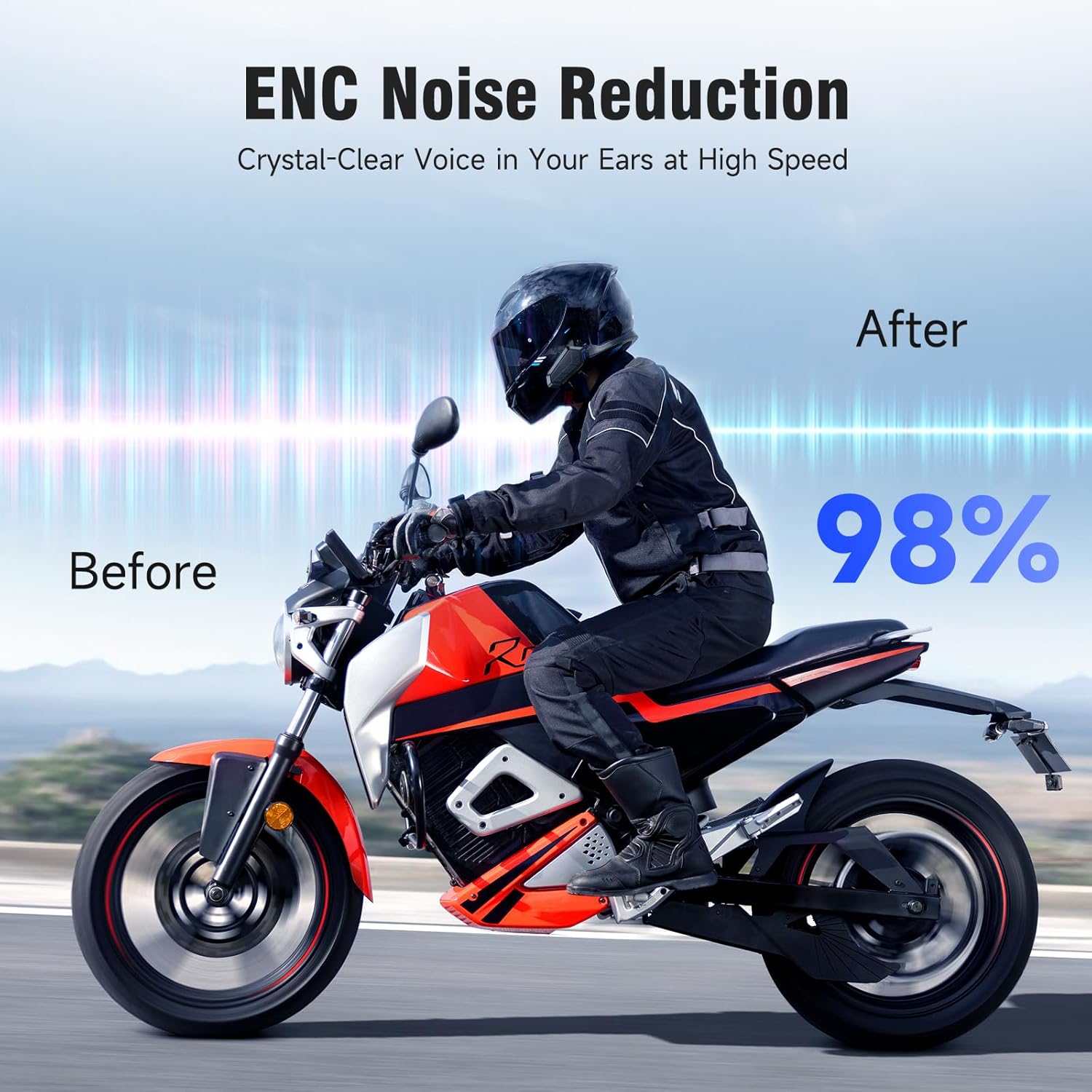
Image: A motorcyclist riding, with a 'Before' and 'After' comparison showing a 98% reduction in noise due to ENC Noise Reduction technology, ensuring crystal-clear voice at high speeds.

Image: A banner illustrating the ENC Noise Reduction feature, showing a microphone and 40mm powerful speakers, promising clearer calls and HD stereo sound.
विशेष विवरण
Key technical specifications of the EDYELL V1 Motorcycle Bluetooth Headset:
| विशेषता | विवरण |
|---|---|
| मॉडल नाम | MBH-V1 |
| ब्लूटूथ संस्करण | 6.0 |
| बैटरी की क्षमता | 1000एमएएच |
| चार्ज का समय | 1.5 घंटे (टाइप-सी) |
| संचार का समय | 15 घंटे तक |
| संगीत प्लेबैक समय | 28 घंटे तक |
| बुलाने का समय | 30 घंटे तक |
| स्टैंडबाय समय | 5 दिन तक |
| इंटरकॉम रेंज | Up to 2000M (2KM) |
| Max Riders (Group) | 24 (best for 5 riders within 300-500m) |
| पानी प्रतिरोध | IPX6 वाटरप्रूफ |
| स्पीकर का आकार | 40 मिमी हाई-फाई स्पीकर |
| शोर में कमी | ईएनसी (पर्यावरणीय शोर रद्दीकरण) |
| नियंत्रण विधि | आवाज, बटन |
| संगत डिवाइस | Helmet Headsets, EDYELL Devices |
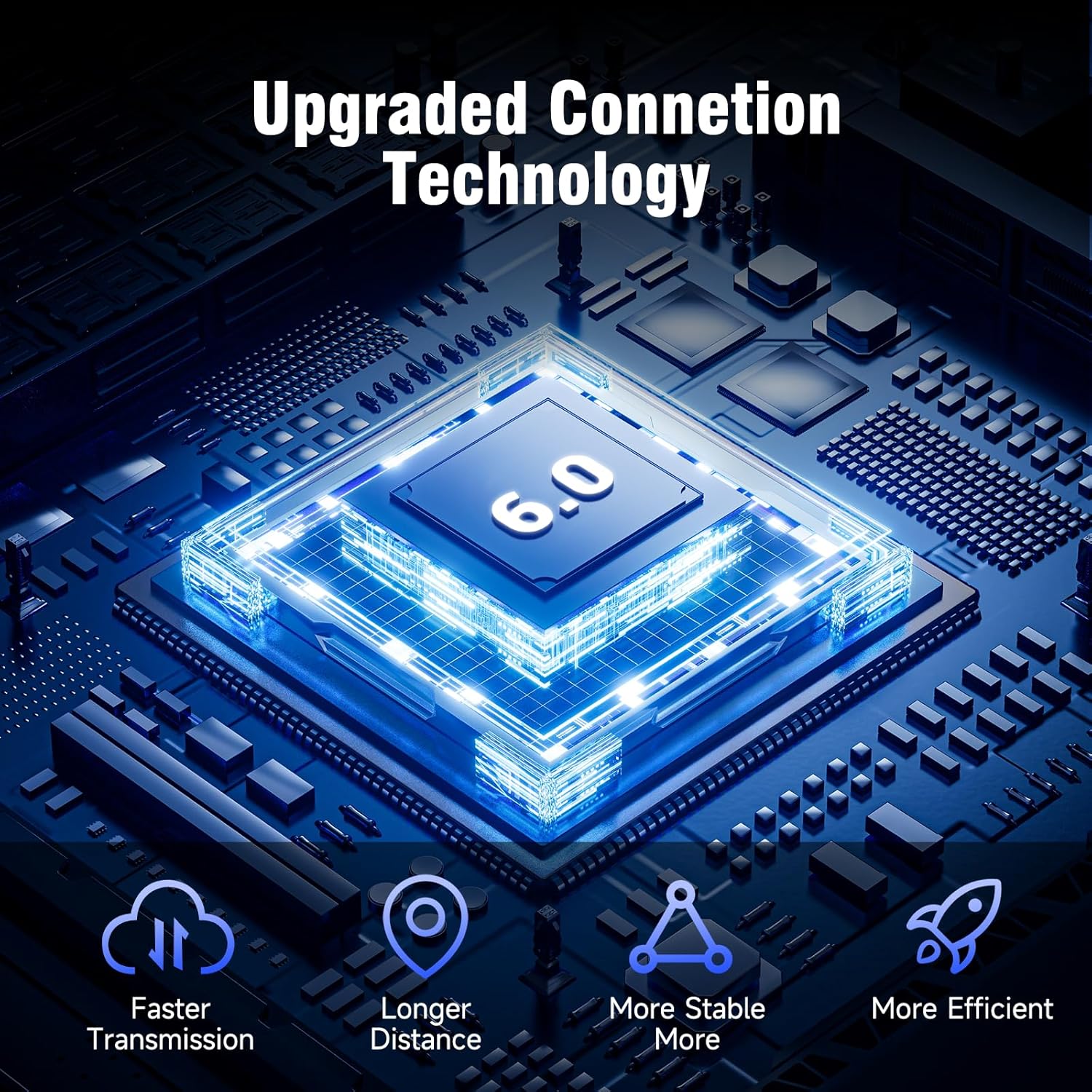
Image: A circuit board graphic highlighting '6.0' for upgraded connection technology, with icons for faster transmission, longer distance, more stable connection, and more efficient operation.

Image: A banner showcasing 'Upgraded Bluetooth 6.0 technology' with icons representing faster transmission, longer distance, more stable connection, and more efficient performance.
वारंटी जानकारी
The EDYELL V1 Motorcycle Bluetooth Headset comes with a 1 साल की वारंटी from the date of purchase. This warranty covers manufacturing defects. Please retain your proof of purchase for warranty claims. For detailed terms and conditions, refer to the warranty card included in your package or contact customer support.
ग्राहक सहेयता
For any questions, technical assistance, or warranty claims, please contact EDYELL INDIA customer service:
- ईमेल: accounts@fenman.in
- फ़ोन: +91 8882786235
- परिचालन समय: Monday to Saturday, 10:00 AM to 6:30 PM (IST)

Image: A map of India with EDYELL INDIA OFFICES marked, alongside icons for product knowledge, demonstration requests, post-purchase installation guidance, and after-sales service, with the customer support phone number prominently displayed.


