
1 परिचय
This manual provides essential information for setting up, operating, and maintaining your TECLAST T60Pro 12-inch 2K Tablet. The T60Pro features a 12-inch 2K IPS display, powered by a MediaTek Helio G99 Octa-Core processor, running Android 15. It includes 20GB RAM (8GB physical + 12GB virtual expansion) and 128GB internal storage, expandable up to 1TB via Micro SD. The tablet is equipped with four stereo speakers, a 13MP rear camera, an 8MP front camera, and an 8000mAh battery with 18W fast charging.

The TECLAST T60Pro features a slim 7.9mm metal body, weighing 553g, designed for portability and comfortable handling.
2. बॉक्स में क्या है?
सत्यापित करें कि पैकेज में सभी आइटम मौजूद हैं:
- TECLAST T60Pro Tablet (x1)
- चार्जर (x1)
- यूएसबी-सी केबल (x1)
- SIM Ejector Tool (x1)
- उपयोगकर्ता मैनुअल (x1)
This video demonstrates the unboxing process of the TECLAST T60Pro tablet and its included accessories.
3. सेटअप
3.1 डिवाइस लेआउट
The image displays the side profile of the tablet, highlighting the SIM/TF Card slot, speaker grilles, and the Type-C port for charging and data transfer.
3.2 टैबलेट चार्ज करना
Before first use, fully charge the tablet using the provided USB-C cable and charger. Connect the USB-C cable to the tablet's Type-C port and the charger to a power outlet. The battery indicator on the screen will show charging status.
3.3 पावर ऑन/ऑफ
- To power on: Press and hold the Power button until the TECLAST logo appears.
- बंद करने के लिए: पावर बटन को दबाकर रखें, फिर स्क्रीन पर दिखाई देने वाले विकल्पों में से 'पावर ऑफ' चुनें।
- To restart: Press and hold the Power button, then select 'Restart' from the options.
3.4 सिम/टीएफ कार्ड इंस्टॉलेशन
To install a SIM card for cellular connectivity or a TF (Micro SD) card for expanded storage:
- टैबलेट के किनारे पर स्थित सिम/टीएफ कार्ड ट्रे का पता लगाएं।
- Insert the provided SIM ejector tool into the small hole next to the tray and press gently until the tray pops out.
- Place your Nano-SIM card(s) and/or Micro SD card into the designated slots on the tray, ensuring correct orientation.
- Carefully push the tray back into the tablet until it clicks into place.

The tablet supports up to 1TB Micro SD card expansion for additional storage.
3.5 प्रारंभिक एंड्रॉइड सेटअप
Upon first power-on, follow the on-screen prompts to complete the initial setup, which includes selecting your language, connecting to Wi-Fi, setting up your Google account, and configuring security options.
4. संचालन निर्देश
4.1 प्रदर्शन और दृश्य
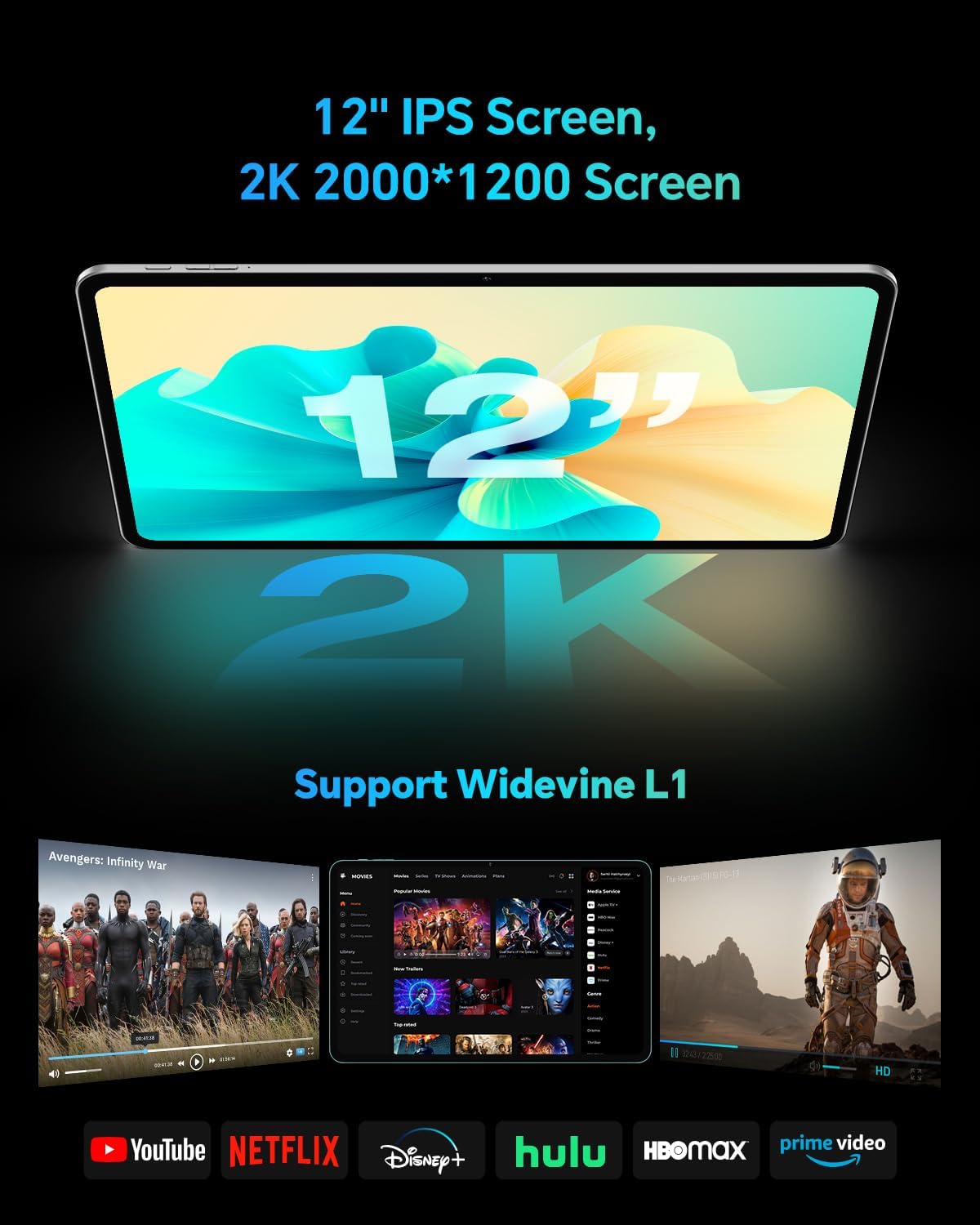
The TECLAST T60Pro features a 12-inch 2K (2000x1200) IPS TDDI full-lamination screen. It includes built-in blue light filtering for eye protection. The display supports Widevine L1 for high-definition streaming content.

Experience crisp visuals and support for HD streaming with the 12-inch 2K IPS display and Widevine L1 certification.
4.2 ऑडियो
The tablet is equipped with four high-fidelity stereo speakers, providing an immersive audio experience for media consumption and video calls.
4.3 कैमरा फ़ंक्शन
The T60Pro includes a 13MP rear camera and an 8MP front camera. The rear camera is designed for clear shooting, even in low-light conditions. Utilize the camera for photos, videos, and video calls.

The tablet features a 13MP rear camera and an 8MP front camera, supporting features like Google Lens and Face Recognition.
4.4 कनेक्टिविटी
- वाईफ़ाई: Supports 2.4/5GHz dual-band Wi-Fi (802.11a/b/g/n/ac) for stable internet connection.
- ब्लूटूथ: Features Bluetooth 5.2 for connecting wireless accessories.
- सेलुलर: Supports 4G cellular connectivity with a compatible SIM card.
- GPS: Integrated A-GPS/GPS/BeiDou/GLONASS/Galileo multi-navigation system for accurate location services.

The tablet includes built-in GPS with support for multiple satellite positioning systems for reliable navigation.
4.5 भंडारण प्रबंधन
The tablet comes with 128GB of internal storage. This can be expanded up to 1TB using a Micro SD card (sold separately).
4.6 चेहरा पहचान
For convenient and secure unlocking, the tablet supports face recognition. Simply hold your face in front of the front camera. If face recognition fails, use your registered password or adjust ambient lighting for better recognition.

Unlock your tablet quickly and securely using the face recognition feature.
4.7 वायरलेस प्रोजेक्शन
Mirror your tablet's display to a larger screen, such as a TV, for an enhanced viewing experience. Refer to your TV's manual for specific wireless projection setup instructions.
4.8 Parental Controls and Kids Mode
The Android 15 system includes built-in parental controls to manage screen time and app access for children. Utilize these features to create a safe and controlled environment for younger users.
5. रखरखाव
5.1 डिवाइस की सफाई
Use a soft, lint-free cloth to clean the tablet's screen and body. Avoid using harsh chemicals or abrasive materials that could damage the surfaces.
5.2 बैटरी केयर
बैटरी का जीवनकाल बढ़ाने के लिए:
- अत्यधिक तापमान से बचें.
- बैटरी को बार-बार पूरी तरह से खत्म न होने दें।
- बेहतर चार्जिंग के लिए दिए गए चार्जर का ही इस्तेमाल करें।
5.3 सॉफ़्टवेयर अद्यतन
Regularly check for and install system updates to ensure optimal performance, security, and access to the latest features. Navigate to सेटिंग्स > सिस्टम > सिस्टम अपडेट उपलब्ध अद्यतनों की जांच करने के लिए.
5.4 स्क्रीन सुरक्षा
The tablet comes with a pre-applied tempered glass screen protector. A protective film for shipping is also applied, which should be removed after opening the package.

The tablet includes a pre-applied screen protector for immediate use and protection.
6। समस्या निवारण
6.1 डिवाइस चालू नहीं हो रहा है
- Ensure the battery is charged. Connect the tablet to the charger for at least 30 minutes before attempting to power on.
- फोर्स रीस्टार्ट करने के लिए पावर बटन को 10-15 सेकंड तक दबाकर रखें।
6.2 कनेक्टिविटी संबंधी समस्याएं (वाई-फाई/ब्लूटूथ)
- Toggle Wi-Fi or Bluetooth off and on in the Settings menu.
- Restart your router or Bluetooth device.
- Forget the network/device and reconnect.
6.3 Low Audio Volume
- Adjust the volume using the physical Volume buttons on the tablet.
- Check media volume settings in सेटिंग्स > ध्वनि और कंपन.
- Ensure no external audio devices are connected via Bluetooth or Type-C that might be overriding the internal speakers.
6.4 ऐप्स क्रैश या फ़्रीज़ होना
- ऐप को बंद करें और पुनः खोलें.
- ऐप का कैश और डेटा साफ़ करें सेटिंग्स > ऐप्स > [ऐप का नाम] > स्टोरेज > कैश साफ़ करें/डेटा साफ़ करें.
- सुनिश्चित करें कि ऐप Google Play Store से नवीनतम संस्करण में अपडेट किया गया है।
7. विनिर्देश
| विशेषता | विनिर्देश |
|---|---|
| ब्रांड | Teclast |
| मॉडल नाम | टी60प्रो |
| ऑपरेटिंग सिस्टम | एंड्रॉइड 15 |
| स्क्रीन का साईज़ | 12 इंच |
| डिस्प्ले रिज़ॉल्यूशन | 2000x1200 Pixels (2K) |
| प्रोसेसर | मीडियाटेक हेलियो जी99 ऑक्टा-कोर (2.2 गीगाहर्ट्ज) |
| रैन्डम - एक्सेस मेमोरी | 20 जीबी (8 जीबी भौतिक + 12 जीबी वर्चुअल) |
| भंडारण क्षमता | 128 जीबी |
| विस्तार योग्य भंडारण | 1 टीबी तक (माइक्रो एसडी) |
| ग्राफ़िक्स कोप्रोसेसर | माली-G57 MC2 |
| बैटरी की क्षमता | 8000 एमएएच |
| चार्ज | 18W USB-PD Fast Charging |
| पीछे का कैमरा | 13 एमपी |
| फ्रंट कैमरा | 8 एमपी |
| बेतार तकनीक | Wi-Fi (2.4/5GHz), Bluetooth 5.2, 4G Cellular |
| जीपीएस कार्यक्षमता | GPS/BEIDOU/GLONASS/GALILEO |
| हेडफोन जैक | टाइप-सी |
| आयाम (लंबाई x चौड़ाई x ऊंचाई) | 10.97" x 6.85" x 0.31" |
| रंग | अंधेरे भूरा |
8. वारंटी और समर्थन
8.1 निर्माता की वारंटी
The TECLAST T60Pro tablet comes with a 1 साल की निर्माता वारंटीयह वारंटी सामान्य उपयोग के दौरान सामग्री और कारीगरी में होने वाले दोषों को कवर करती है। वारंटी दावों के लिए कृपया अपनी खरीदारी का प्रमाण संभाल कर रखें।
8.2 ग्राहक सहायता
For technical assistance, troubleshooting, or warranty inquiries, please contact TECLAST customer support. Most questions are answered within 24 hours. Refer to the official TECLAST website or your purchase platform for specific contact details.
Online resources and FAQs may also be available on the TECLAST support page.